
The open-source project android-ad-cleaner, hosted on GitHub by the account rddmwmddr, aims to switch off advertising, hot-search lists, news recommendations and marketing push messages on domestic Chinese Android phones. According to its README, it works without root access, its changes can be reversed, and an AI agent can run it. The repository is MIT-licensed and written mainly in Python.
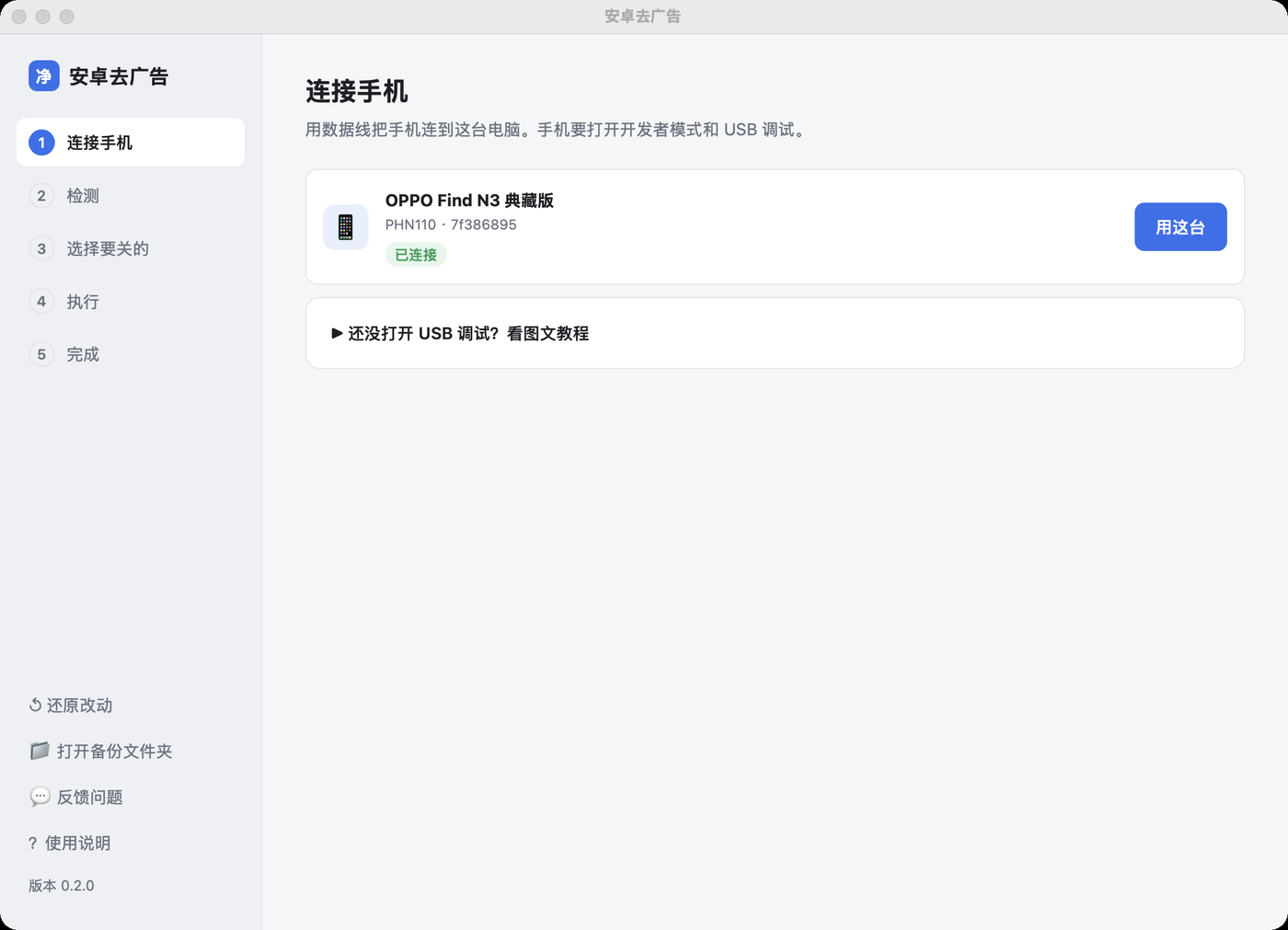
What does the tool switch off?
The README lists four targets: advertising, hot-search entries, information feed recommendations and marketing push messages. The project is built for domestic Chinese Android phones, and its device scripts name models from Xiaomi, Huawei, vivo, OPPO, Honor and OnePlus, among others.
Each phone model has its own script. A script is a list of steps that says which app to open, which settings page to reach, and which switches to turn off or keep on. The README says a separate script is needed for each model because settings menus change between models and system versions.
Does it change system apps?
No, according to the README. The project says it does not uninstall or disable system apps, and it does not use the pm uninstall or pm disable-user commands. It only uses settings that Android and vendor apps already expose publicly. The README adds that vendor interfaces change with system updates, so results depend on the individual phone.
How do you get started?
The README gives a short sequence. The source does not describe a single installer for every platform, so the steps below follow the documents it links to.
- Enable developer mode and USB debugging on the phone. The project links a guide with screenshots for this step.
- Connect the phone to the computer. The tool works through adb, and the README says it does not support native HarmonyOS, which uses HDC.
- Download the desktop client from the Releases page. The README notes that older versions do not update automatically, so users must download the new version by hand. Existing backups are kept.
- Find the model script that matches your phone and its system version. If there is no match, the engine warns you and skips steps it cannot locate.
On a Mac, the README explains how to check the chip. Open the Apple menu, choose About This Mac, and look at the Chip line. If it begins with Apple M, choose the Apple chip download.
How do you undo the changes?
The restore guide is in docs/05-还原.md. According to the README, suspended packages and notification channels each have one command to reverse them. Switches inside the vendor app must be turned back on manually, following the path in the list the tool produces.
Who it is for and where it falls short
The tool suits owners of a supported domestic Android phone who are comfortable enabling developer mode and running a computer-assisted process. It is not a fit for people who want a single app to install on the phone, and it does not cover native HarmonyOS devices that rely on HDC.
The README is also open about its limits. Notification-channel changes depend on system pages and permissions, and some vivo pages are skipped. The table of tested models is not part of the text provided for this article, so the README's claims about specific devices cannot be checked here. The README says some fixes for reported bugs still need retesting on real hardware.
The project is young. Its latest release, v0.3.0, is dated 1 November 2026 and lists fixes for more than ten issues reported by the community after version 0.2.9. The source does not state whether the desktop client runs on Linux.
Maintenance looks active. As of 1 November 2026, the GitHub API shows the last commit on that date, 5,443 stars and 489 forks. Stars and forks show interest, not whether the tool works on a given phone. The README's claims are the maker's own and have not been independently verified.
Bottom line: Worth trying if you own a model on the project's list and want changes you can reverse. Check your exact model and system version first, and back up the phone before you start.
Source and verification: This article is based on the README text of the GitHub repository rddmwmddr/android-ad-cleaner, which the source dates 28 October 2026. The release note inside the README is dated 1 November 2026, so the two dates differ. The repository figures (5,443 stars, 489 forks, MIT licence, Python as the main language, latest release v0.3.0 dated 2026-11-01 and last commit 2026-11-01) come from the GitHub API as of 1 November 2026.
Related: Agent Standup Turns Claude Code Sessions Into a Live Team Call · AI Invoice Processing Workflow with n8n and Zoho Books




Comments (0)