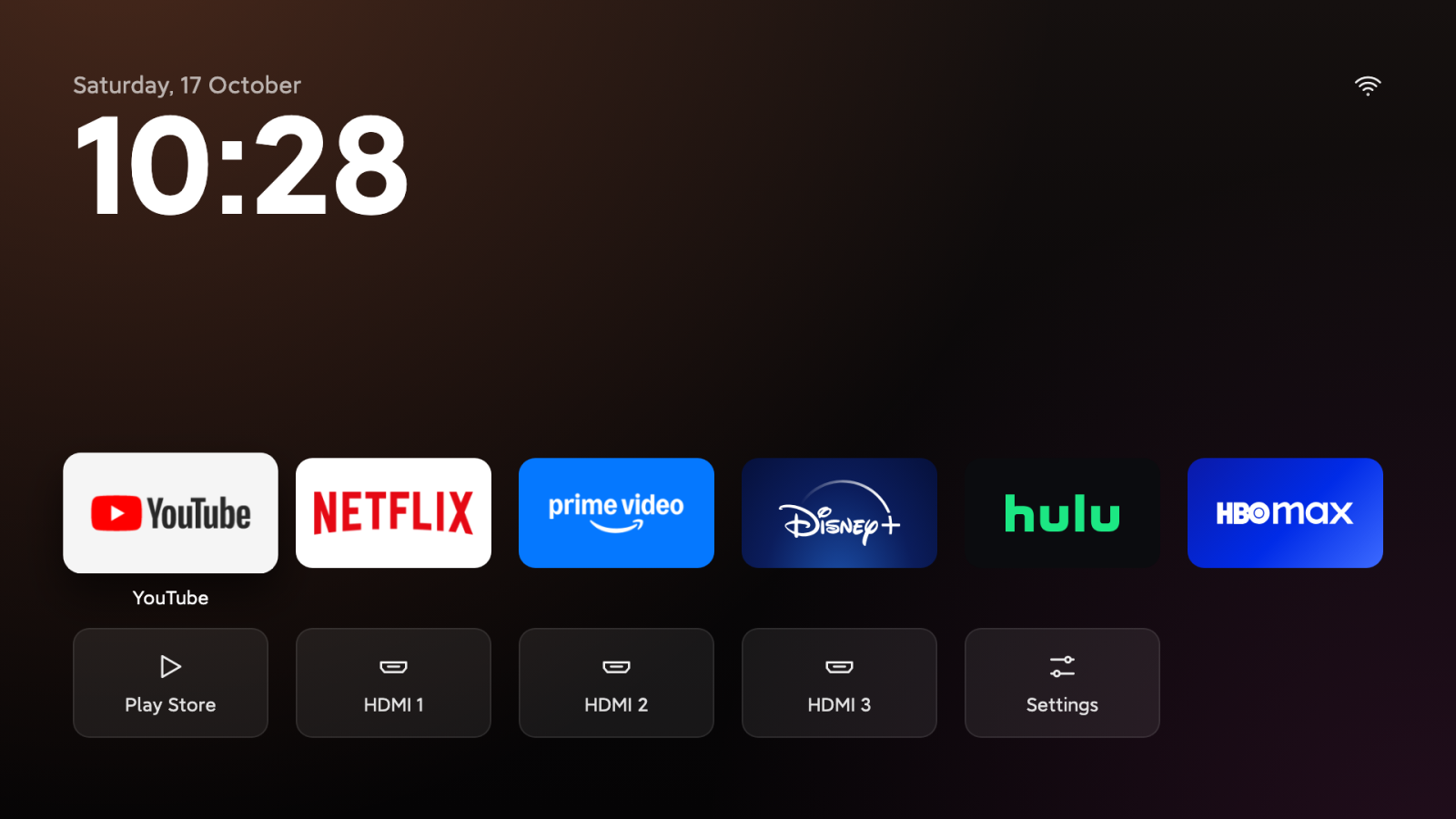
Ansub's tv-detox, a GitHub repository written mainly in Java and released under the MIT licence, says it can make an old Android TV faster by having Claude Code or Codex switch off unneeded system apps while the user approves each change. The project also includes a small, ad-free home screen. The maker's own notes warn that some TVs got stuck restarting, so the project is not risk-free.
How the project is meant to work
According to the README, the setup has two halves. An AI coding agent on a laptop connects to the TV over Android's debugging feature and proposes changes, and the project's scripts apply them. The install.sh script adds the home screen, and a separate candidates.sh script lists every app with a verdict without changing anything.
Claude Code and Codex are both tools that run on a computer rather than inside a chat window. The README says the chat in the Claude app and on claude.ai cannot see the TV, because it runs on Anthropic's servers. That is why a local tool is needed.
What are the first setup steps?
The first step is to enable developer mode on the TV. The README gives the path as Settings, Device Preferences, About, then pressing Build seven times. USB debugging is then switched on in Developer options. The laptop and the TV must be on the same Wi-Fi network.
- On the TV, enable developer mode and turn on USB debugging.
- Open Claude Code or Codex on the laptop and give it the cleanup prompt from the repository.
- When setup is finished, turn debugging off again, or turn off Developer options completely.
Newer Google TVs, including Chromecast with Google TV, usually offer only Wireless debugging, which needs a pairing code. The README says the plain install.sh command with the TV's IP address does not connect to them. Instead, the user runs adb pair with the IP and port shown under the code, then adb connect with the port shown on the Wireless debugging screen, and uses that address for every script. The port changes each time the TV restarts.
Which TVs it fits, and where it falls short
The README lists Android TV 9 (on a real TV), Android TV 11 and 12, and Google TV 14 as tested versions. It says every change is tested automatically on emulators. It also says many Sony, TCL, Hisense, Philips and Xiaomi TVs should work, but the home screen behaviour has been checked only on some models.
- Amazon Fire TV: partly. Amazon blocks changing the home screen on current models, so Amazon's home screen stays.
- Roku and Samsung Tizen: no, because they do not run Android.
- LG webOS: no cleanup. The README suggests turning off Home Promotion and Content Recommendation in the home settings to cut down on ads.
- Android phones: only the cleanup applies, since the home screen is built for a TV remote.
- Android projectors: probably, if Developer options and USB debugging are present. Cheap models may behave differently.
What are the Google TV and Chromecast risks?
The README says that turning off Google TV's own home screen left some devices stuck restarting, and that the only fix was a factory reset. Since version 1.4.1, install.sh leaves that home screen on unless the user adds GOOGLE_TV=1. The README also reports that the YouTube button can stop working on some Google TVs, and that some lose casting.
What are the security and warranty points?
While USB, Network or Wireless debugging is on, other devices on the network can ask to control the TV. The README therefore advises turning debugging off once setup is done. The author states that the advice reflects what worked for them, is not professional advice, and that the author is not liable if something goes wrong. OLED owners are told to keep the screensaver on and not to leave any home screen running for hours.
How mature is the project?
As of 24 October 2026, according to GitHub's API, the repository had 1,398 stars and 143 forks. Its latest release was v1.5.3, dated 22 October 2026, and the last commit was pushed on 23 October 2026. The source does not say whether the project is stable or early-stage. The activity figures show that the project is maintained, but they are not an independent review. The speed and memory results come from the maker's own device reports and have not been independently verified.
Bottom line: This is worth trying only on an Android TV or Google TV set that you can reconnect to over USB or Wireless debugging, with a recovery plan in place. Skip it on Roku, Samsung Tizen and LG, which the README says cannot be cleaned this way, and do not turn off Google TV's home screen on a Chromecast without a way to recover it.
Source and verification: This article is based on the GitHub repository Ansub/tv-detox, published on GitHub on 22 October 2026 according to the source metadata. Repository figures come from the GitHub API as of 24 October 2026. The project's official website is ansub.co/community. All instructions and claims are the maker's and have not been independently verified.
Frequently asked questions
Can I clean up the TV without paying for Claude Code or Codex?
Yes. The README says you can skip the AI and use install.sh instead, and candidates.sh lists each app with a verdict without changing anything.
Does the cleanup uninstall apps?
The README says the cleanup turns off system apps rather than removing them, and that the home screen install does not uninstall anything. The undo.sh script and its undo list turn the changes back on.
How do I undo the changes?
Run undo.sh, which uses the undo list to restore the changes. The README notes that undo.sh does not reverse the phone-remote service change on the TCL example, so that change must be reversed by hand.
Related: Awesome Reverse Engineering: A Curated Map of Tools and Courses · Rubix: A Tiny x86-64 Assembly Language Without libc
Comments (0)