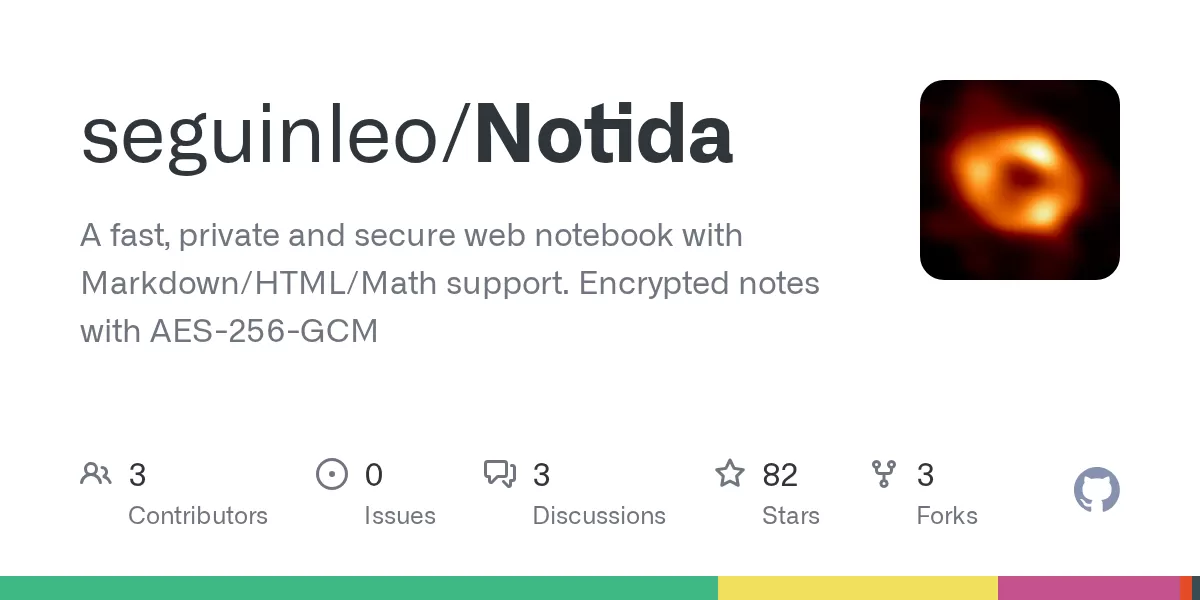
A developer has published Notida, a web notebook project on GitHub that aims to combine speed, privacy and strong security in one note-taking tool. The project, listed in the repository published on GitHub on 12 October 2026, lets users write notes using Markdown, HTML and math notation, and it stores those notes in encrypted form. For readers who want a note app they can run on their own servers, the project offers an unusual mix of features and a clear focus on data protection.
What Notida offers
According to the project description on GitHub, Notida is designed as a fast, private and secure web notebook. Users can create task lists, reminders, tables, mathematical expressions and code blocks. The editor supports Markdown, HTML and math, so a single note can mix a formatted table with a formula or a short block of code. Users can also embed images, audio and video by pasting a URL, and they can sort notes into custom categories.
Syncing works across devices once a user logs in. The project does not ask for an email address. Instead, an account requires only a username and a strong password. Users who want to share part of their work can mark a note as public, which gives it a random URL that anyone with the link can open.
An app you can install
Notida is built as a Progressive Web App, or PWA. That means it can be installed on a phone, tablet or desktop and launched like a standalone application, without a traditional app store download. The project also allows users to change the colour theme of the interface, a feature that is becoming common in productivity software but is not always available in web-based tools.
The developer states that the interface is designed for users with disabilities. The project description mentions high-contrast colours, ARIA modules and focusable elements, which are common techniques for helping screen readers and keyboard users navigate a page. Accessibility claims are easy to make and harder to verify, so readers who depend on these features should test the app themselves before relying on it.
A security-first design
Security is the central theme of the project. The GitHub description states that the website follows OWASP security recommendations. The Open Worldwide Application Security Project is a nonprofit community that publishes widely used guidance on protecting web applications from common threats, such as injection attacks and broken authentication.
Several specific measures are listed in the project documentation. All notes are sanitised and validated through DOMPurify, a library designed to strip dangerous code from HTML before it is displayed. This step helps defend against cross-site scripting, a common attack in which malicious scripts are inserted into web pages. Passwords are hashed using Argon2id, a password-hashing function that won the Password Hashing Competition in 2015 and is now widely recommended for new systems. All notes are encrypted with AES-256-GCM, an encryption standard that combines strong confidentiality with built-in integrity checks.
Biometric lock and account deletion
Users can lock the app with biometric methods such as fingerprints or face recognition. The project documentation makes a notable clarification here: biometric data is never sent to the server, and verification happens locally. The developer describes this lock as a user interface and experience feature rather than a server-side security control. That distinction matters, because it means the lock protects access to the app on a given device but does not replace the encryption and password protections on the server.
The project also sets a retention rule. User accounts are deleted one year after the last login. Anyone who plans to use Notida for long-term storage should keep this policy in mind and log in regularly, or keep an external backup of important material.
Running Notida yourself
Notida can be self-hosted. According to the project README on GitHub, it is configured to start with a single Docker command, docker-compose up --build, which builds the container. Once built, the website is available at localhost:8787 on the local machine.
The developer recommends several steps before using the tool in production. The main security features are enabled by default, but the documentation advises changing all default users, passwords and secret keys. It also recommends storing the MASTER_KEY in a dedicated secrets service. The README names AWS KMS, Azure Key Vault and the self-hosted HashiCorp Vault as examples. A .env template is included at the root of the project to help with configuration.
Deployment on a public server requires an additional step. The README notes that the Web Crypto API, which the app uses for note encryption, requires HTTPS. In practical terms, anyone who wants to host Notida for others, or even for themselves across a network, needs to install an SSL certificate first. Running the app over plain HTTP may not allow the encryption features to work as intended.
Who the project is for
- Developers and technical users who want to control where their notes are stored
- Small teams or individuals looking for a self-hosted alternative to cloud note apps
- Users who want Markdown, code blocks and math in one place
- Anyone interested in reviewing how a note app handles encryption and sanitisation
Why it matters and what to watch
Notida belongs to a growing group of privacy-focused productivity tools that let users keep their data on infrastructure they manage. Many people are comfortable with cloud notes but want more control over encryption keys and hosting. Projects like this one give technically confident users a starting point, with the code visible to anyone who wants to inspect it.
The project also has limits that prospective users should weigh. The GitHub description is brief, and the Todo section of the README is empty, so the public roadmap is not clear. The project invites users to report issues, vulnerabilities and suggestions, which is a sensible channel for a security-sensitive tool, but it also means the software may still be maturing. Self-hosting shifts responsibility for updates, backups, key management and certificates onto the user. Those tasks are manageable for experienced administrators but may be a burden for others.
For now, Notida stands out as a clear example of how a small, publicly documented project can combine a rich editor with modern encryption and a practical deployment path. Readers interested in a private, self-hosted notebook should review the repository, follow the production advice closely and test the app thoroughly before storing important information in it.
Related: Lightweight Server Monitoring: Beszel Adds Docker Stats and Alerts · Termix: Free Self-Hosted Server Management Platform Built on Plugins

Comments (0)