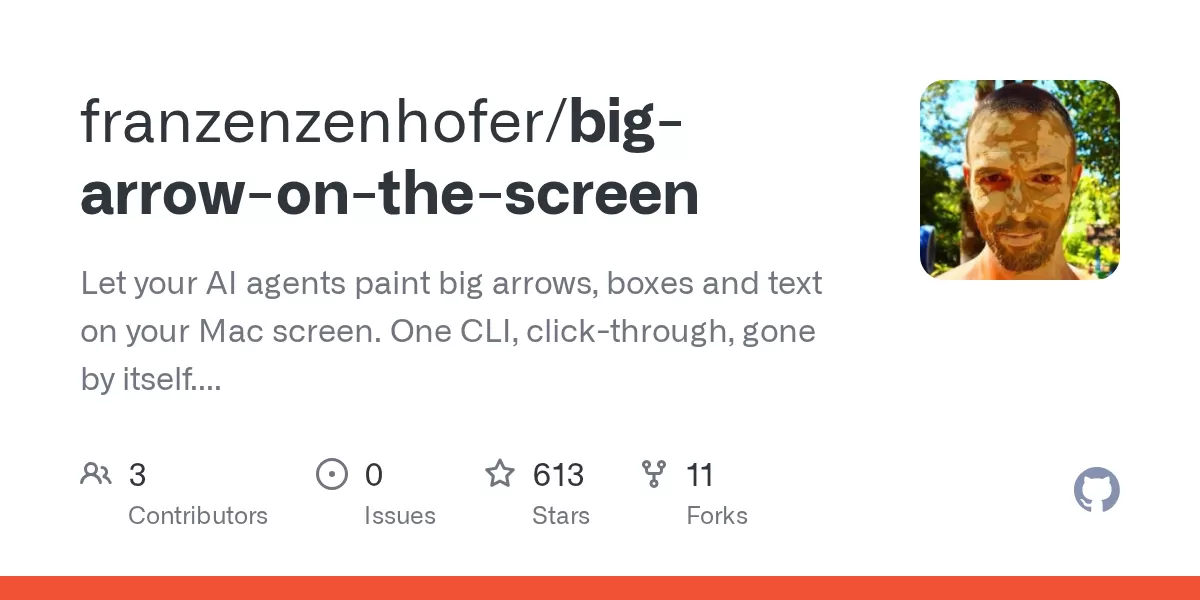
A new open-source project called bigarrow gives AI coding agents a way to do something they cannot easily do on their own: show a person exactly where to click. Published on GitHub in October 2026 under the MIT licence, bigarrow is a command-line tool for macOS that draws a large arrow and a text sign over any window. Clicks pass through the arrow, keyboard focus stays where it was, and the arrow removes itself when its job is done.
What the tool does
According to the project’s GitHub page, bigarrow is a macOS command-line tool, packaged with a skill for Claude Code, the coding assistant from Anthropic, and for Codex from OpenAI. It opens a transparent window above everything, on every display and in every macOS Space. Drawing the arrow requires no special macOS permission. The program is a single Swift binary with no background daemon, no menu-bar icon, no account and no telemetry.
The project’s pitch rests on a familiar frustration. An agent can refactor a codebase or write a database migration, yet when it reaches a permission prompt it can only print an instruction into a terminal that the user may not be watching. bigarrow lets the agent point at the right control on the screen instead.
Where it fits in agent workflows
The GitHub page lists several situations where pointing is more useful than explaining:
- Permission prompts and consent screens. The agent can find the button but should not press it on the user’s behalf, so it points instead.
- Steps only a person can complete. Two-factor codes, CAPTCHAs, passkeys, payments and signatures all fall into this group.
- Text the user needs to copy. A code, URL or command can appear on the sign with a copy button attached.
- Learning an application. An agent can walk a user through each control in turn, acting as a product tour.
- Helping someone remotely. On a relative’s Mac or during a screen share, a visible arrow can replace long verbal directions such as “the button at the top, no, the other top.”
The tool does not click, type or take screenshots. The project describes this restriction as deliberate. bigarrow is a pointer rather than an automation bot, a screenshot utility or an annotation app for people drawing on their screens.
Looks, targets and controls
Arrows can be aimed at fixed coordinates, a rectangle, the current mouse position, a named window, or a user interface element. Element lookup works through macOS accessibility data or through Peekaboo, another open-source tool for macOS automation. The arrow can take several shapes, including bent, straight, zigzag and spiral, and can be drawn as an arrow, a ring or a box so that the target stays visible underneath. Colours, sizes and corner styles are adjustable.
Some options are aimed at agents that work unattended. The --say option reads the sign aloud, and --until-click ends the arrow once the user clicks the target. Every command supports machine-readable JSON output, and the exit codes are documented: 0 for success, 2 for bad input, 3 when the target is not found and 4 when a permission is missing. The page notes that agents tend to appreciate such codes, while humans are more tolerant of them.
Permissions, focus and known limits
Drawing needs no permission, but some ways of finding a target do require Screen Recording or Accessibility access. The GitHub page explains that macOS grants these rights to the application that launched bigarrow, such as Terminal, iTerm2, Ghostty, VS Code or Claude, and never to bigarrow itself. The command bigarrow doctor reports which app needs the permission.
The project also addresses a common concern about tools that float over other windows. The arrow sits above windows, dialogs and full-screen apps, but never becomes the active window. The page calls the hardest bug of the project a case where a process was activated without a terminal, and says the developers fixed it by pumping events themselves, with tests confirming that the frontmost app does not change.
There are limits. Inside Chrome, element targeting needs the flag --force-renderer-accessibility or VoiceOver to be switched on, because Chrome ignores the usual request for accessibility data. The page says this was verified in October 2026. Without that help, users can point at page coordinates instead.
Testing and early reception
The repository reports 104 automated tests and 18 behaviour checks run on a clean macOS runner. Its continuous integration runs on macOS 15, and the developers say the build also passed on macOS 26 and 27. The page reports that a pulsing arrow used about 1.4 percent CPU on the CI runner, because much of the rendering happens in macOS’s Core Animation system.
The project had nearly 400 GitHub stars within its first two days. The page says the starring accounts include people whose profiles list companies such as Apple, NVIDIA, SAP and Salesforce, and institutions such as Stanford and Johns Hopkins. Star counts show interest rather than proven reliability, and readers should weigh them accordingly. The developers say they checked 26 existing tools before starting and found none that point at things from a shell with exit codes.
On cost, the GitHub page says the skill’s description is about 182 tokens, the only part an agent always reads. The full instructions, about 1,528 tokens by the page’s count using Anthropic’s token-count API, load only when the agent decides to point. The project credits two earlier open-source tools by Peter Steinberger, Peekaboo and Nameplate, for the overlay approach and the skill packaging. bigarrow can read Peekaboo’s output as a target source.
What comes next
Building from source requires Xcode 16 or later and macOS 14 or later. The repository includes an Agent Skills package along with configuration for Codex, which suggests the developers expect adoption through the agent tools themselves rather than through a separate app. Whether bigarrow becomes a standard part of agent setups will depend on how well it works across real Mac environments, and on whether users trust agents enough to let them point at sensitive prompts. For now, the project offers a narrow but practical answer to a common problem: when an AI agent needs a human to press a button, it can now show where that button is.
Related: Reduce Claude Code Token Costs With optimAIzr CLI · AdHelm: Free Local CLI Lets AI Agents Audit Your Ad Accounts

Comments (0)