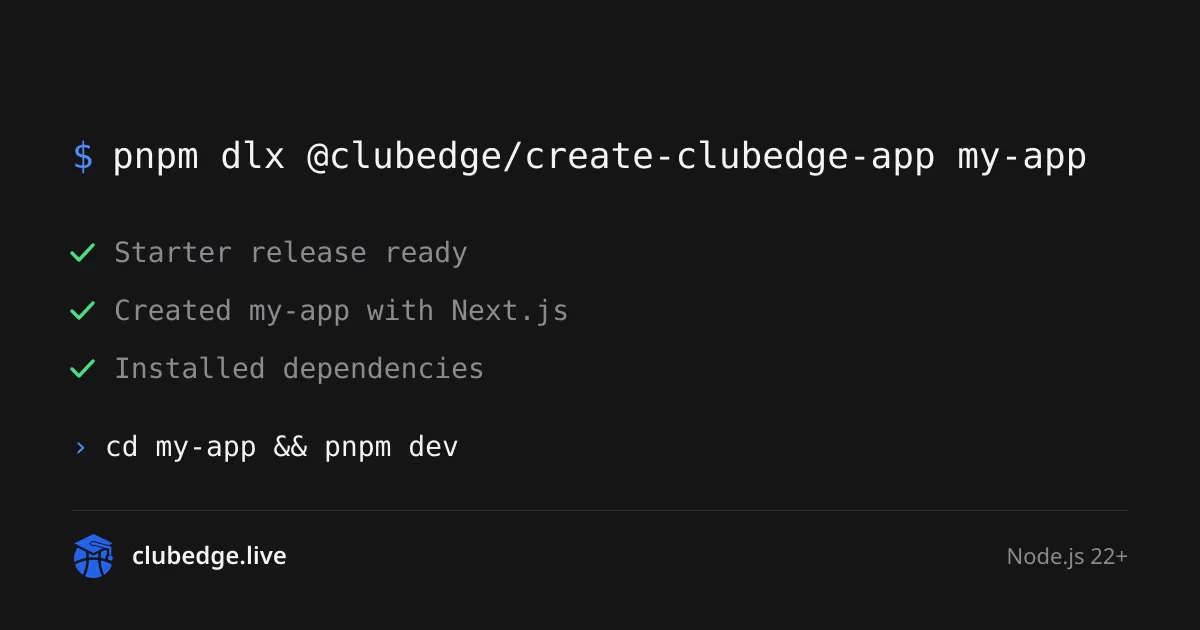
Create Clubedge App, an open-source command-line tool, lets developers generate a production-oriented web foundation with a single command. Running pnpm dlx @clubedge/create-clubedge-app my-app produces a pnpm and Turborepo monorepo built around either Next.js or TanStack Start, with PostgreSQL, Drizzle ORM, Supabase Auth, Docker, tests and continuous integration already connected. According to the project's website, the output is pinned to a tested release of the Clubedge Starter, so developers can trace exactly what they started from. The CLI version described on the site is 0.12.0, published on October 11, 2026.
Why a starter should be more than a blank page
A blank Next.js or TanStack Start app is quick to create. The slow part comes afterwards, when teams choose a database, wire up authentication, add rate limits, configure tests and work out a deployment path. Create Clubedge App presents itself as a way to skip much of that groundwork, offering a working application rather than a folder of snippets.
Developers who have assembled these pieces by hand will recognise the list. Each choice is usually small on its own, but together they can take days to get right, and they are easy to get subtly wrong. A tool that bundles them into one tested package aims to shorten that setup phase considerably.
What the generated project contains
The source material describes a project structure built for growth beyond a single application. The main parts include:
- Monorepo layout: an apps/web directory plus shared packages for core, auth, db, storage, cache and ui.
- Database: PostgreSQL accessed through Drizzle ORM, with schema, migrations and seed commands.
- Authentication: Supabase Auth, Better Auth running on your own PostgreSQL, or no auth at all, all behind a single AuthProvider interface.
- File storage: a common interface over S3-compatible services such as AWS S3, Cloudflare R2 and MinIO, or Supabase Storage.
- Caching and rate limits: Redis when a REDIS_URL is set, with an in-memory option otherwise.
- Testing and quality: Vitest, Playwright, ESLint, Prettier and GitHub Actions CI.
The source also lists security defaults that are set from the first commit, including Zod-validated environment variables, security headers, safe redirects, cross-site form post checks and a health endpoint for orchestrators.
Leaving out what you do not need
Not every project needs every service. Flags such as --auth none, --storage none and --cache memory remove the matching module completely, including its packages, provider SDKs, environment variables, documentation and lockfile entries. The source states that every combination of these options installs, builds and passes its tests.
Local services without the hassle
The default setup includes a Docker Compose file. The command pnpm infra:up starts PostgreSQL, plus Redis and S3-compatible storage where selected, and pnpm check:services confirms that the app can reach each one. Developers who prefer not to run Docker can choose --infra local, which runs PostgreSQL in-process through PGlite and keeps files in a local folder. The --infra supabase option uses the Supabase CLI's local stack instead.
A pinned release you can trace
One of the more unusual features is version discipline. Each CLI release is tested against exactly one Starter release, and the tool never silently follows the Starter's main branch. The pinned Starter ships inside the CLI package, so scaffolding requires no GitHub download and no Git. The source says that CLI version, Starter ref, commit and framework are written into package.json and the README.
For developers who need a different revision, the --ref flag selects a tag, branch or commit on purpose. The --dry-run flag previews every file and edit before anything is written. The site's sample run shows a project created with Next.js from Starter v0.11.0, after which Git was initialised, dependencies were installed and the database, cache and storage services were checked.
How each release is verified
According to the source, every release goes through a chain of checks in GitHub Actions before a new CLI version can be published. The steps are:
- Packing the CLI exactly as it will be published, then generating clean projects from it.
- Installing dependencies in the generated project, then running lint, typecheck and tests.
- Running Playwright browser checks against the generated app, followed by a full production build.
- Starting the built app and requesting the first pages a visitor would hit.
If any gate fails, nothing is published. The source is clear that these automated checks reduce risk but do not guarantee that every application or deployment configuration is secure. That responsibility remains with the team that builds on the starter.
Deployment options and the limits of the tool
Deployment is handled through the --deploy flag, which supports Docker as the default, along with Fly.io, Railway, Render, Vercel and Netlify. The generated project includes a guide listing the production variables its modules need, and a manual GitHub Actions workflow for deployment. Migrations run before each release where the platform allows it.
The project also states what it is not. It is not a hosted service, and it has no plugin marketplace, since every module ships with the Starter and is tested with it. The shared UI package is built for React, so it does not serve non-React frameworks. The source adds that the starter is not production-ready on its own, and that teams should review the security and deployment choices for their own application.
Early traction and what to watch
The project's public page lists 4 GitHub stars for the CLI repository and 2,328 weekly downloads over the last seven days, according to the npm registry. Those figures suggest a young project still building its user base. The code is licensed under Apache-2.0, which allows free personal and commercial use.
For teams that want a head start on a full stack, the appeal is clear. The next questions are whether the pinned release model holds up across future updates and whether the tool's upgrade path, which the source describes as one command that merges a developer's own edits, works in practice. Developers evaluating the starter should inspect the repositories, test the generated project against their own requirements and decide whether its opinionated choices fit their stack.
Related: Bandstand: Open-Source Setlist and Chord Chart Tool for Bands · Bounded Origin Caps Costly Server Work Triggered by HTTP Traffic


Comments (0)